


DIGITALLY ALTERED MEDIA
Disclosure of Digitally Altered Images
NEW POLICY INFORMATION
A photo is considered Digitally Altered when software or AI is used to add, remove, or significantly change image content. Standard photo adjustments for clarity are permitted, provided they do not misrepresent the property. This rule is implemented to improve the quality and representation of the existing condition or structure of a property. Additionally, this new rule change better aligns with NAR Guidelines and Ethical Standards, presenting a “true picture” of the property.
ARMLS is implementing a new transparency-focused photo policy requiring subscribers to disclose and document any Digitally Altered listing photos.
Rule 8.23
Digitally Altered Media Disclosure
- Amended to include that one cannot Digitally Alter media unless the disclosure requirements are met.
- Amended to include that Digitally Altering media is allowed, but requires, at a minimum, the MLS watermark “Digitally Altered” disclosure on the photo paired with the original unaltered image.
Subscribers must upload the original, unaltered photo directly before or after the watermarked, altered version.
EXAMPLES OF DIGITALLY ALTERED
Digitally Altered Landscaping

Original Unaltered Photo

Digitally Altered Staging
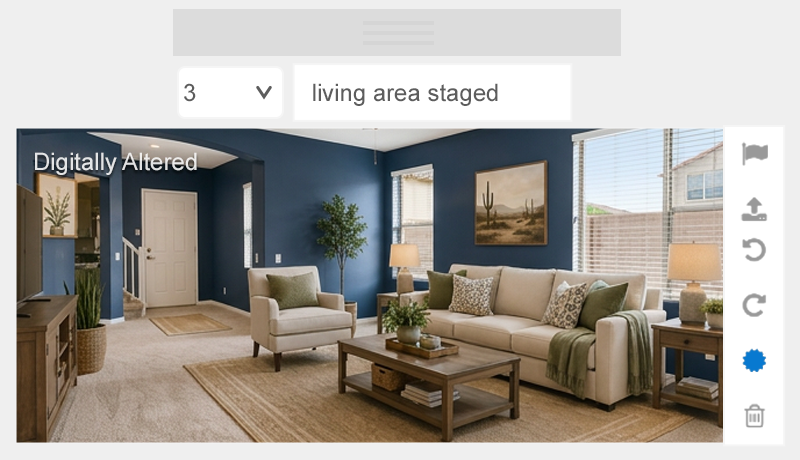
Original Unaltered Photo

Digitally Altered Power Lines Removed

Original Unaltered Photo

EXAMPLES NOT CONSIDERED DIGITALLY ALTERED
Photos with standard adjustments such as brightness, contrast, color, cropping or sharpening are not considered Digitally Altered because the adjustments do not change the substance of the image, and therefore, the Digitally Altered disclosure and watermark are not required.
Brighten or Sharpen Images

Sky and Color Grading

HELPFUL RESOURCES
Contact Info in the Media

Adding Photos in Flexmls

New Photo Visibility Options

How to Add Digitally Altered Watermark
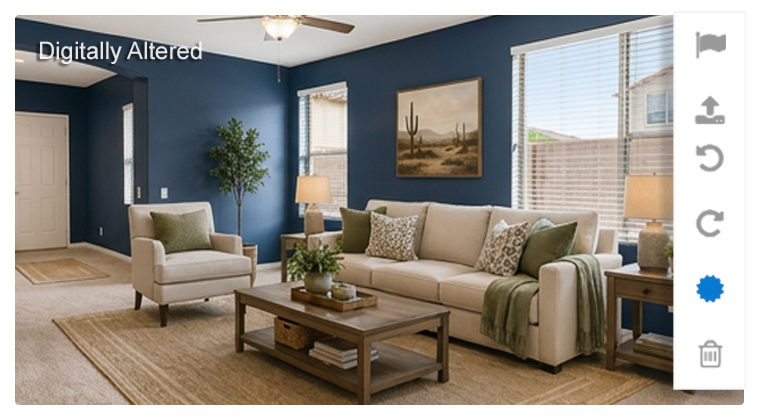
Virtually Staged Photos

ARMLS APPROVED WATERMARKS
FOR PHOTOS
PHOTOS
Any Digitally Altered photos uploaded to Flexmls must use the required Flexmls Digitally Altered disclosure.
In addition to the Flexmls Digitally Altered disclosure, you can add the ARMLS-approved watermark if you desire, but this is optional.
FOR VIDEOS & VIRTUAL TOURS
VIDEOS & VIRTUAL TOURS
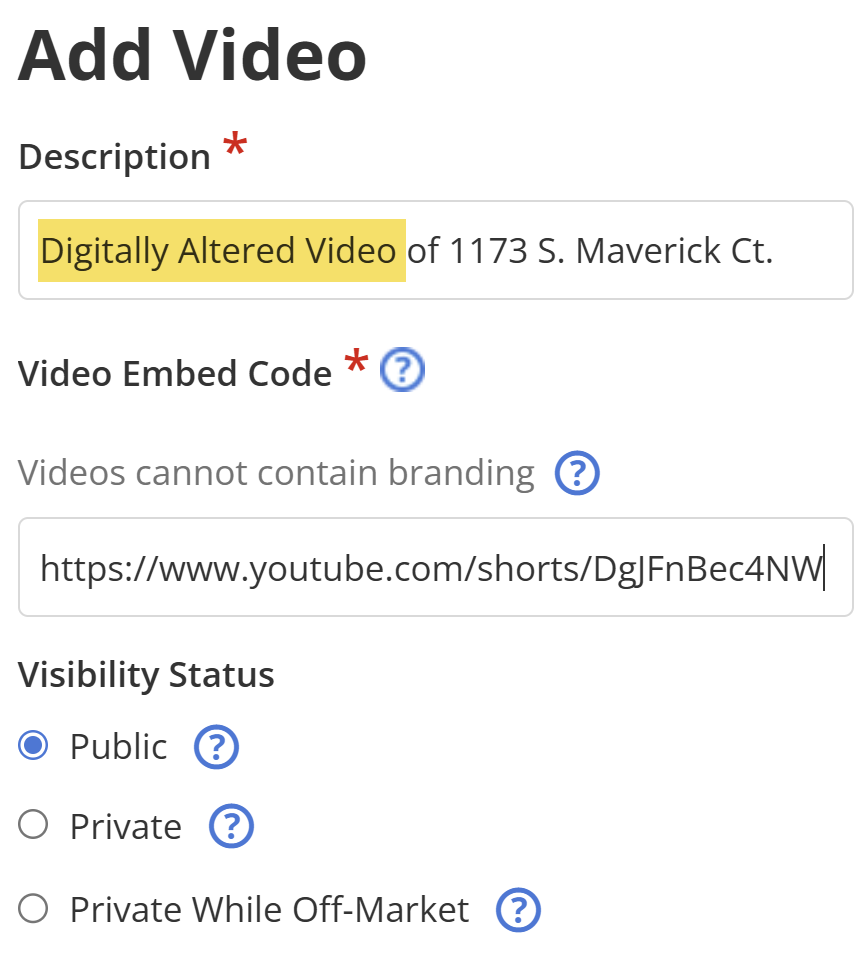
For videos and virtual tours, use either the ARMLS-approved Digitally Altered watermark or include “Digitally Altered” in the description.


POLICY & FINE TIMELINE
Rule Implementation
(Starting 5/28/2026)
A violation of failure to follow the Digitally Altered disclosure is mandated. The violation falls within the Penalty Violation category of the ARMLS Penalty Policy, with a finable offense of $200.
Education Phase
(June 2026 – November 2026)
Fine abatement begins and lasts for six months. ARMLS will begin to enforce the new disclosure rules with no fines issued.
Enforcement Phase
(December 2026 – onward)
Fine abatement ends. Subscribers can submit photos for review. ARMLS will issue a $200 fine for any violation of this policy.
FAQS
Do I have to add a Digitally Altered watermark to a photo if I removed a yard sign?
No, please blur and follow the blurring guideline in this blog.
Do I have to add a Digitally Altered watermark to a photo if I decluttered a room?
Yes, an image is Digitally Altered when adding, removing or changing content.
Do I have to add a Digitally Altered watermark to a photo if I remove valuable items?
Yes, an image is Digitally Altered when adding, removing or changing content.
Do I have to add a Digitally Altered watermark if I changed the color of the sky?
No. Please submit a photo for review if you are unsure.
Do I have to add a Digitally Altered watermark to a photo if I add a fire to the fireplace?
Yes. For fireplaces, an image is Digitally Altered when adding, removing or changing content.
Do I have to add a Digitally Altered watermark to a photo if a wall is under construction?
No. But if you alter the wall under construction as if it has been completed, then yes, add a Digitally Altered watermark.
Is virtually staging now prohibited?
No, virtual staging is allowed, but you are now required to disclose it with a Digitally Altered disclosure watermark.
If you choose to denote with a watermark on other forms of media that are virtually staged, you must use an ARMLS-approved watermark. Please note that copyright or other companies’ watermarks are still prohibited.
Do I have to add a Digitally Altered disclosure to videos and virtual tours?
For videos and virtual tours, use either the ARMLS-approved Digitally Altered watermark or include “Digitally Altered” in the description.
Why are we using the phrase Digitally Altered versus Virtually Staged?
The phrase “Digitally Altered” is broader, and it encompasses the act of virtually staging. Virtual staging specifically refers to adding digital furniture and decor to photos of empty rooms to help buyers visualize the space.
Is the ARMLS Virtually Staged watermark still compliant?
No. The ARMLS Virtually Staged watermark is no longer ARMLS-approved.
How do I remove the ARMLS Virtually Staged watermark?
The ARMLS Virtually Staged watermark cannot be removed. You must remove the photo from the listing and upload a new copy without watermarks. Then, apply the Flexmls Digitally Altered disclosure by clicking the sunburst icon.
SUBMIT A PHOTO
Want some extra clarification? Submit your photo for Data Integrity’s approval.